
Steps to Connect to RDP Server from Windows 10:
STEP 1: Go to the “Start menu”.
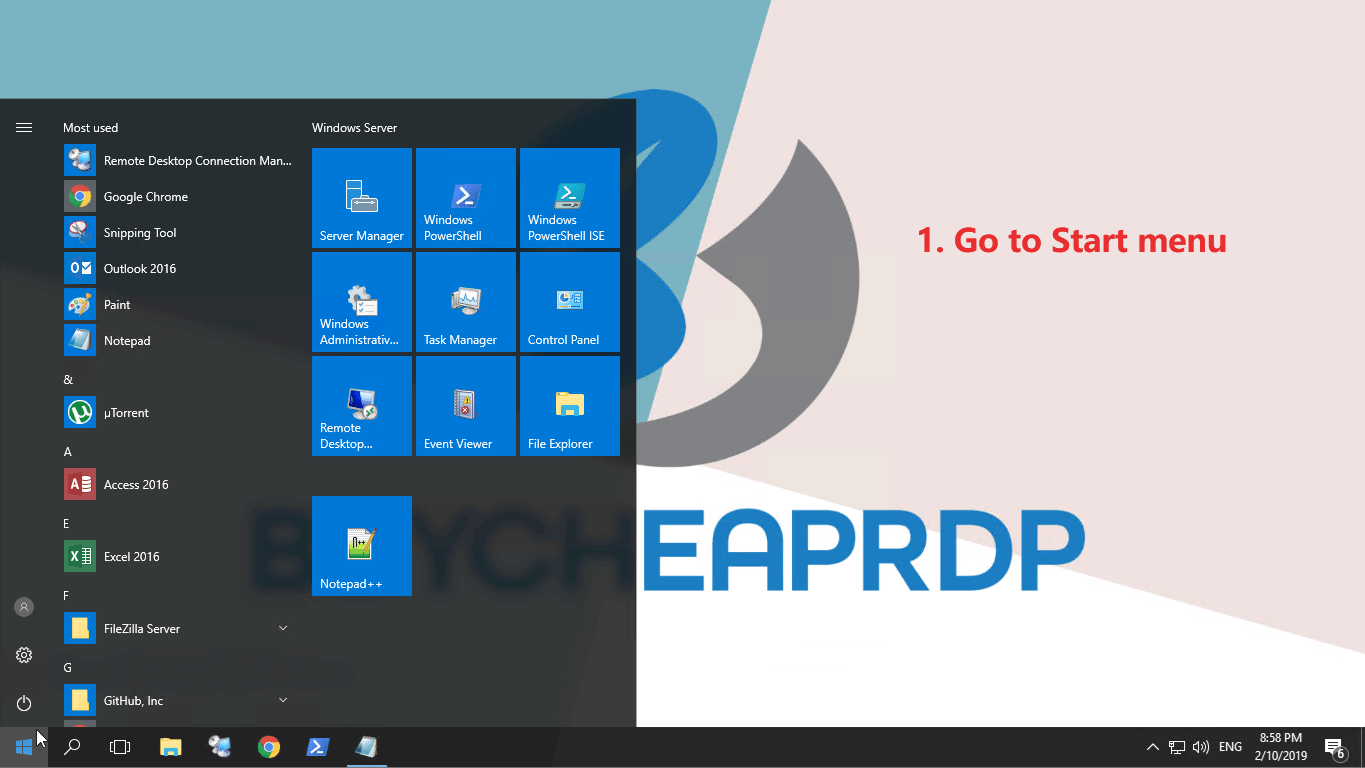
STEP 2: Search for “remote desktop connection” application and open it. You can also find it inside Accessories.

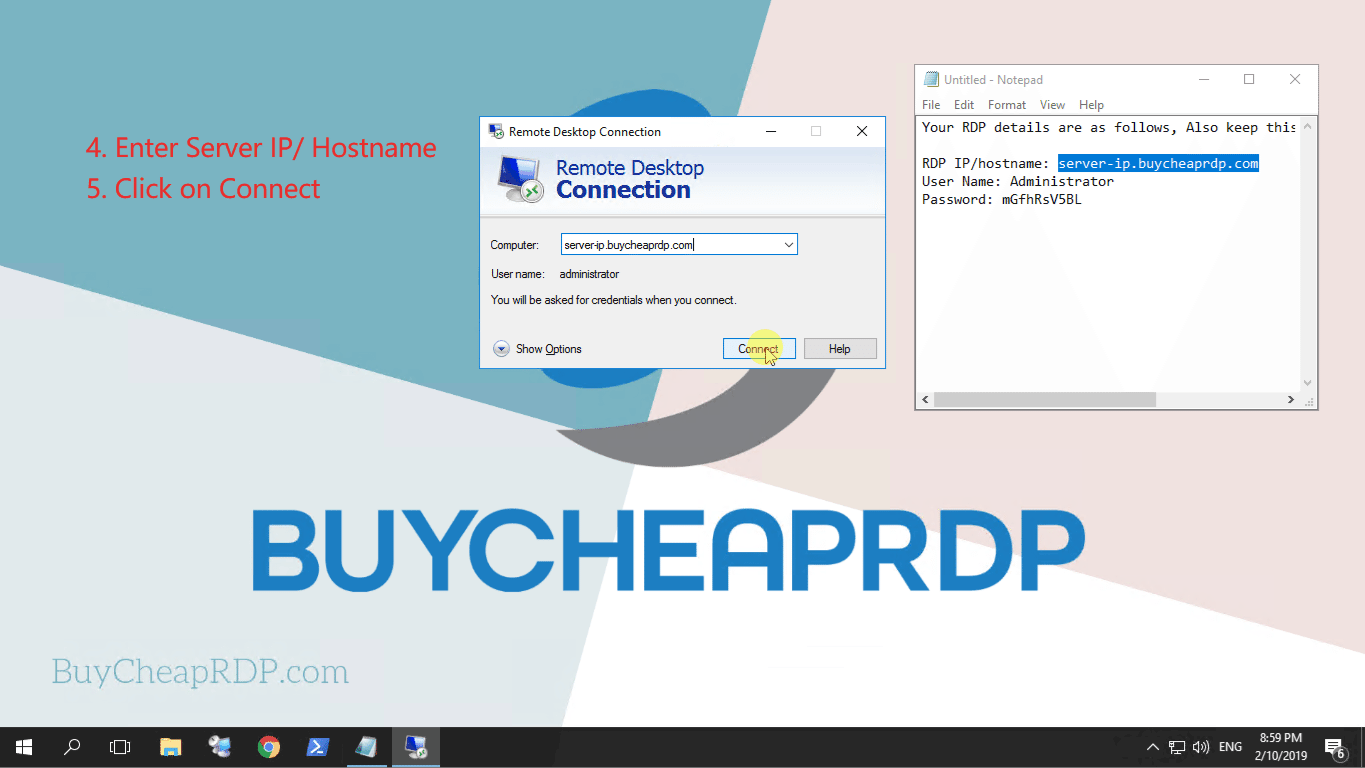
STEP 3: Enter the Server Ip/ Server Hostname, and click Connect. Server details(IP, Username, and Password) are sent to email.
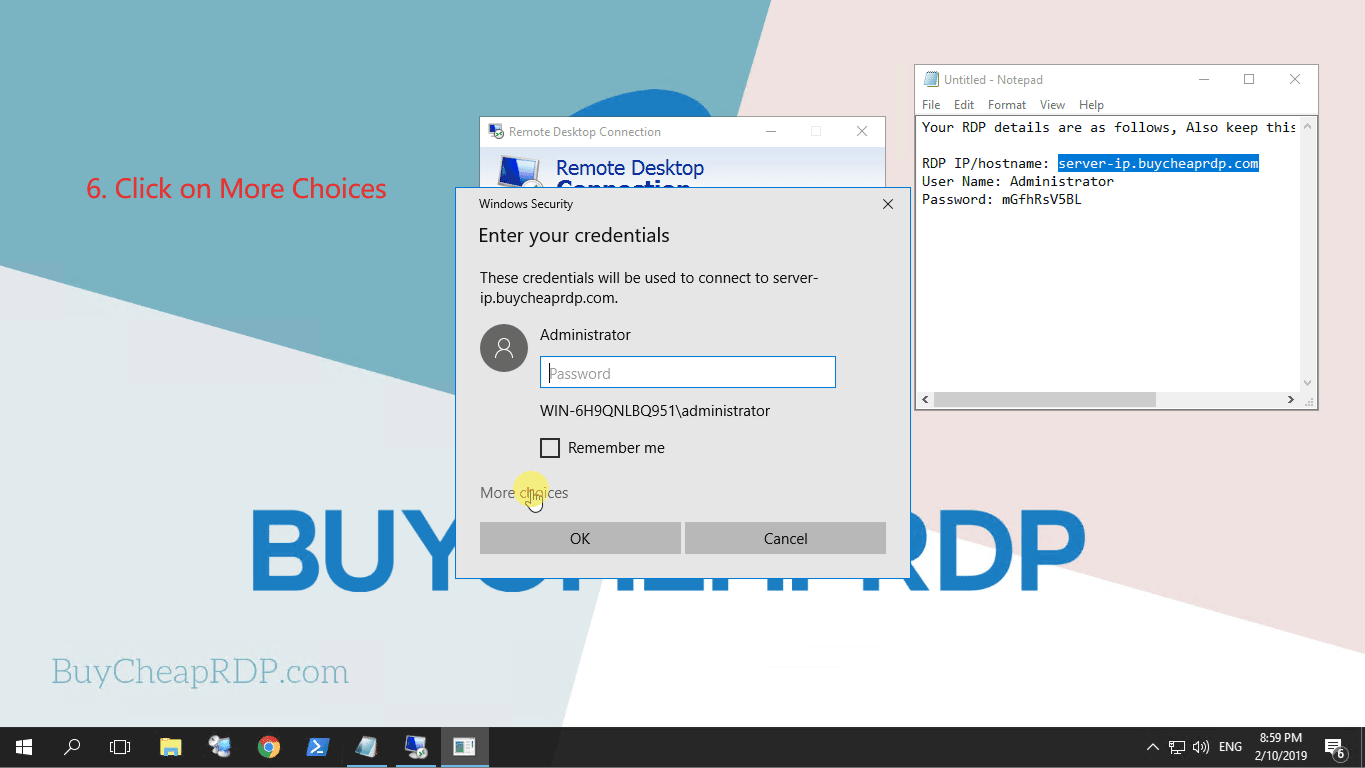
STEP 4: Click on “More Choices“.
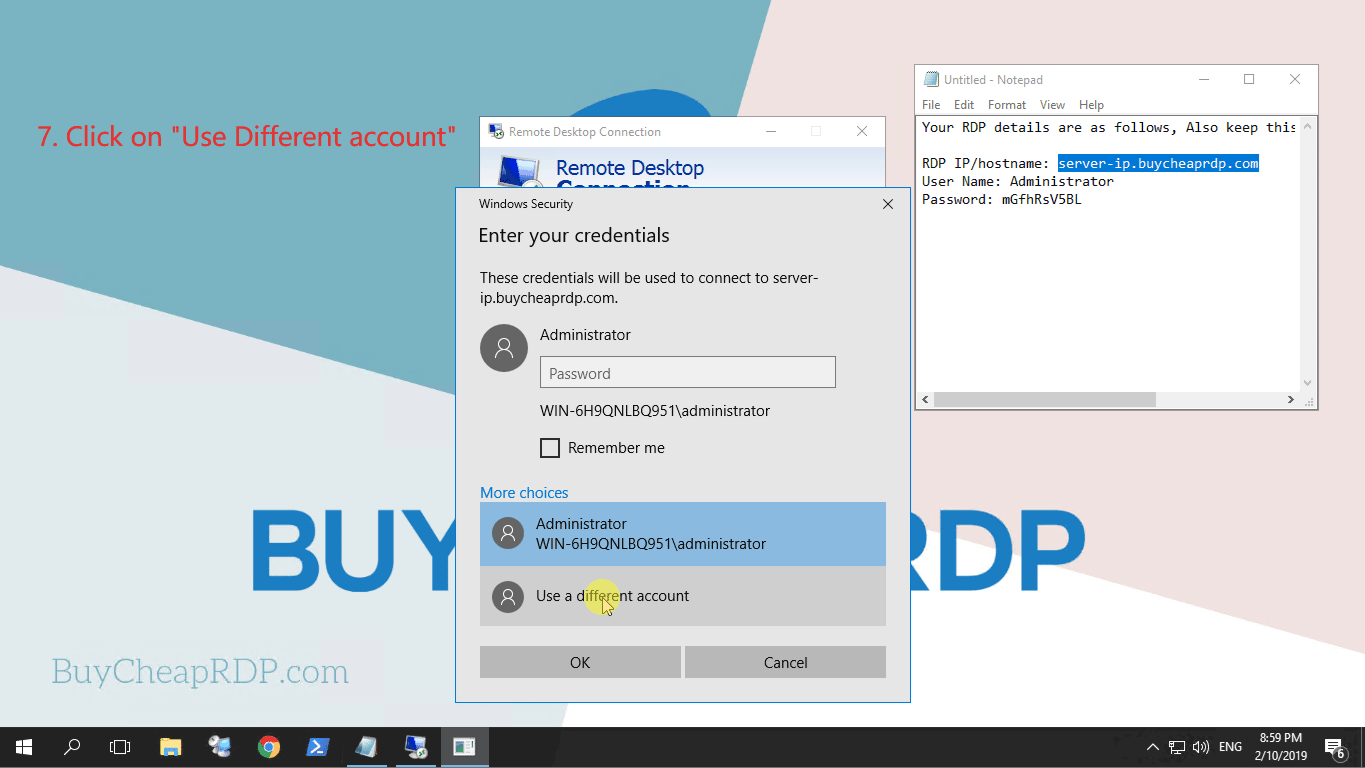
STEP 5: Click on “Use a different account”.
STEP 6: Enter the “Username and Password”, and click “OK”.

STEP 7: A warning window will open, click on “YES”.

Congratulation 🙂 You are connected to RDP.
